You land on the lobby, not a login form
The app keeps your session open. Balance, bonus progress and open bets sit on the home screen. Handy when you check a cricket score between overs and want a few spins without typing anything.
The 4999bdt app is a 36 MB Android file that opens straight into the game lobby. No browser tab, no retyping your password every visit. Download the APK below, allow the install once, then sign in with the account you already have.
18+ · Play Responsibly · Free download, Android 8.0 or newer. Scan the QR code further down to send the same file to another phone.
The app keeps your session open. Balance, bonus progress and open bets sit on the home screen. Handy when you check a cricket score between overs and want a few spins without typing anything.
Pages load from the phone instead of a full browser requesting them again. On a busy network in Dhaka or Chattogram the lobby opens faster and eats less data than four browser tabs running at once.
The cashier opens inside the app. Pick bKash, Nagad, Rocket or Upay, confirm the amount and go back to the game. Deposits usually land in 2 minutes, and the minimum is ৳350.
Ask for a payout and the app tells you when it clears. Standard review takes about 28 minutes. Your first withdrawal can take up to 1 hour while the documents are checked.
Evolution, Ezugi and Playtech streams run in a dedicated player. Crash rounds show the multiplier climbing without the freeze you get when a browser juggles a dozen tabs on the same phone.
A new build replaces the old one; your login and balance stay on the server. The current file is version 3.4.7, released on 9 November 2026, and the download is free.
Tap the button on the phone you actually play with, or point a second phone's camera at the code and move the file across later. Both routes end at the same 4999bdt.apk installer.
Neither route changes your account, your bonus or the games. The difference is how the phone handles memory, data and logins during a long session. Here is the honest comparison for a mid-range Android handset on a Bangladeshi network.
| What you compare | Installed app | Mobile browser |
|---|---|---|
| Opening the lobby | One tap from the home screen icon | Type the address or hunt for the tab again |
| Data per session | Lighter, because interface files stay on the phone | Heavier, since each visit re-fetches the page |
| Staying signed in | Stays signed in until you log out | Often asks again after you clear tabs |
| Live dealer streams | Runs in a dedicated player window | Depends on browser and open tabs |
| Withdrawal alerts | Notification when the payout is approved | You refresh the cashier yourself |
| Storage on the phone | 36 MB plus cached game art | Nothing beyond a small browser cache |
| Getting new features | Download the new APK when it is released | Always the newest version, no file to install |
Android shows a permission list before any install completes. These are the four you will see with the 4999bdt app, and what each one is actually used for.
Used to keep game artwork, sound files and the download cache on the device. That cache is why a second visit loads in a second or two instead of pulling the lobby again. You can clear it from Android settings at any time without losing your account.
The app talks to game servers, the cashier and the live chat queue. It does not read your contact list, your photo gallery or your call history. Everything sent between the phone and the site runs over HTTPS.
Only used for deposit confirmations, withdrawal approvals and bonus reminders. You can switch notifications off in the app or in Android settings and keep playing; you will simply have to open the cashier to check a payout.
No SMS reading, no call log, no access to your banking apps. Login codes arrive as normal text messages in your inbox. If an installer asks for message access, the file is not ours, so close it and report the link to live chat.

The app carries the full lobby, not a cut-down version: 4,500 games from CQ9, Ezugi, FA Chai, Playtech, Habanero, JDB and Evolution. Two of the most played titles below show what the cards look like on a phone screen.
Crash games run on a short round timer, so they suit a phone held in one hand. Fishing titles such as Pirate Fishing and Captain Fisher use the touch screen for aiming. Live roulette and card tables stream with a real dealer, and the football and cricket markets sit under the same login.
Browse the full casino lobby or read the football betting guide before you install.
Set aside three minutes and keep the phone on Wi-Fi if you can. The steps below assume Chrome on Android 8.0 or newer, which covers most handsets sold in Bangladesh today.
Use the handset you play with, not a laptop. Tap Download APK on this page and the file 4999bdt.apk lands in your Downloads folder. You do not need a file manager to move it anywhere.
Android blocks files that skip the Play Store. When the warning appears, tap Settings, switch on Allow from this source for Chrome, then press back. The permission covers only the browser you used.
Tap Open in the browser bar, or find 4999bdt.apk in Downloads. Play Protect may scan the file first. Choose Install anyway only if the address bar showed 4999bdt.today when you downloaded it.
Enter the mobile number and password you use on the site. New here? Create an account first and come back. The app keeps you signed in until you log out or clear app data.
Open the cashier, choose bKash, Nagad, Rocket or Upay, and confirm the amount. Deposits usually clear in 2 minutes. Your first deposit triggers the welcome bonus, and the wagering counter appears in your profile.
4999bdt.apk
36 MB · version 3.4.7 · free
| File name | 4999bdt.apk |
| Version | 3.4.7 |
| File size | 36 MB |
| Minimum Android | 8.0 |
| Last updated | 9 November 2026 |
| Cost | Free |
| Language | English, Bangla |
Keep the screen on until the download bar closes, and leave a little free storage beyond the 36 MB file so cached game art has somewhere to live. If you are on mobile data, the transfer is roughly the size of a short video, so a Wi-Fi connection at home saves money.
After the install, open the app once on Wi-Fi so the lobby files download properly. The first launch takes longer than later ones, and the second visit should load in a second or two.
Most failed installs come down to four things: a dropped connection, an old build still on the phone, a browser setting, or Android itself. Match the message on your screen to the row below.
| What you see | Why it happens | What to do |
|---|---|---|
| Download starts, then fails at 60% or so | The signal dropped or the browser lost the half-saved file | Switch to Wi-Fi, delete the partial 4999bdt.apk from Downloads, then tap the button once and wait. Starting the transfer again while the first file is still there causes both to fail. |
| "App not installed" at the end | An older 4999bdt build is still sitting on the phone | Uninstall the previous version first, then run the new APK. Your account, balance and bonus progress live on the server, so nothing is lost when the app leaves the phone. |
| Play Protect blocks the file | Google flags every APK that did not arrive through the Play Store | Tap More details, then Install anyway. The scan is a routine warning, not a virus report. Confirm the link you used showed 4999bdt.today in the address bar before continuing. |
| Install button is greyed out | Allow from this source is still switched off for Chrome | Open Settings, then Apps, then Chrome, then Install unknown apps, and turn the switch on. Return to Downloads, tap 4999bdt.apk again, and the orange install button appears. |
| App opens, then closes immediately | Android version is below 8.0, or storage is nearly full | Check Settings, then About phone, for the Android version. On Android 7 or lower, use the mobile website in Chrome instead. If storage is the issue, free up space and reinstall. |
The button pulls the same 36 MB build this page walks through. If you are reading on a laptop, the code beside it sends the file to the handset in front of you.
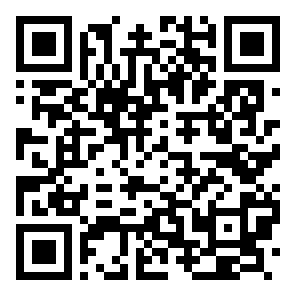
Scan with your camera to send the APK to another phone.
Seven questions that come up often in live chat about the 4999bdt app. If your question is not here, the support team is online around the clock.
Download 4999bdt.apk, sign up, deposit from ৳350 with bKash or Nagad, and the welcome bonus is added automatically. The wagering requirement is 22x. New players only, terms apply.
The 4999bdt app is for adults aged 18 and over. Gambling carries financial risk. Set a deposit limit in your account settings and take a break if betting stops being fun. Help is available through live chat 24/7 or on the responsible gaming page.